Authentication and Client Creation
By now, you should have followed the instructions in Getting Started and are ready to start making API calls. Read this page to learn how to get over the last remaining hurdle: OAuth authentication.
Before we begin, however, note that this guide is meant to users who want to run applications on their own machines, without distributing them to others. If you plan on distributing your app, or if you plan on running it on a server and allowing access to other users, these login flows are not for you.
The Quick and Easy Route
If all you want to do is create a client, you should use
easy_client(). This method will attempt to create a client in
a way that’s appropriate to the context in which you’re running:
If you’ve already got a token at
token_path,load itand continue. Otherwise create a new one.In desktop environments,
start a web browserin which you can sign in, and automatically capture the created token.In a notebook like Google Colab or Jupyter, instead run the
manual
flow
.
Here’s how you can use it. If for some reason this doesn’t work, please report
your issues in the Discord server. See
easy_client() for details:
from schwab.auth import easy_client

# Follow the instructions on the screen to authenticate your client.
c = easy_client(
        api_key='APIKEY',
        app_secret='APP_SECRET',
        callback_url='https://127.0.0.1',
        token_path='/tmp/token.json')

resp = c.get_price_history_every_day('AAPL')
assert resp.status_code == httpx.codes.OK
history = resp.json()
Fetching a Token and Creating a Client
This function will guide you through the process of logging in and creating a token.
- schwab.auth.client_from_login_flow(api_key, app_secret, callback_url, token_path, asyncio=False, enforce_enums=False, token_write_func=None, callback_timeout=300.0, interactive=True, requested_browser=None)
Open a web browser to perform an OAuth webapp login flow and creates a client wrapped around the resulting token. The client will be configured to refresh the token as necessary, writing each updated version to
token_path.Important Note: This method operates by starting an HTTP server on the port specified in your callback URL. When you complete the Schwab login flow, Schwab sends a request to the callback URL with the required login data encoded in the request parameters. Anyone who receives this request can steal your token and act on your account as though they were you.
schwab-pytakes your security seriously. As a result, we only allow127.0.0.1as a host. We strongly recommend using a port number higher than1024, as most operating systems require superuser privileges to listen on ports below1024, and some also require changes to system firewalls to accept connections to those ports, even when the connections originate from the same machine. The vast majority of users should just usehttps://127.0.0.1:8182as a callback URL.Note in particular that specifying no port number is equivalent to specifying port 443, which is the default port number for HTTPS. Your operating system will likely refuse to open this port for you, and this method will fail.
If you want to use this method but haven’t specified a compatible callback URL, you must update your app’s configuration on Schwab’s developer portal. Note making this change will likely require app re-approval from Schwab, which typically takes a few days.
- Parameters:
api_key – Your Schwab application’s app key.
app_secret – Application secret provided upon app approval.
callback_url – Your Schwab application’s callback URL. Note this must exactly match the value you’ve entered in your application configuration, otherwise login will fail with a security error. Be sure to check case and trailing slashes. See the above note for important information about setting your callback URL.
token_path – Path to which the new token will be written. If the token file already exists, it will be overwritten with a new one. Updated tokens will be written to this path as well.
asyncio – If set to
True, this will enable async support allowing the client to be used in an async environment. Defaults toFalseenforce_enums – Set it to
Falseto disable the enum checks on ALL the client methods. Only do it if you know you really need it. For most users, it is advised to use enums to avoid errors.token_write_func – Function that writes the token on update. Will be called whenever the token is updated, such as when it is refreshed. See the above-mentioned example for what parameters this method takes.
callback_timeout – How long to wait for a callback from the server before giving up, in seconds. Wait forever if set to zero or
None.interactive – Require user input before starting the browser.
requested_browser – Name of the browser to attempt to open. This function uses the standard
webbrowserlibrary under the hood, so you can find a table of valid values here
If for some reason you cannot open a web browser, such as when running in a cloud environment or a notebook, this function will guide you through the process of manually creating a token by copy-pasting relevant URLs.
- schwab.auth.client_from_manual_flow(api_key, app_secret, callback_url, token_path, asyncio=False, token_write_func=None, enforce_enums=True)
Walks the user through performing an OAuth login flow by manually copy-pasting URLs, and returns a client wrapped around the resulting token. The client will be configured to refresh the token as necessary, writing each updated version to
token_path.- Parameters:
api_key – Your Schwab application’s app key.
app_secret – Application secret provided upon app approval.
callback_url – Your Schwab application’s callback URL. Note this must exactly match the value you’ve entered in your application configuration, otherwise login will fail with a security error. Be sure to check case and trailing slashes.
token_path – Path to which the new token will be written. If the token file already exists, it will be overwritten with a new one. Updated tokens will be written to this path as well.
asyncio – If set to
True, this will enable async support allowing the client to be used in an async environment. Defaults toFalseenforce_enums – Set it to
Falseto disable the enum checks on ALL the client methods. Only do it if you know you really need it. For most users, it is advised to use enums to avoid errors.
Once you have a token written on disk, you can reuse it without going through the login flow again.
- schwab.auth.client_from_token_file(token_path, api_key, app_secret, asyncio=False, enforce_enums=True)
Returns a session from an existing token file. The session will perform an auth refresh as needed. It will also update the token on disk whenever appropriate.
- Parameters:
token_path – Path to an existing token. Updated tokens will be written to this path. If you do not yet have a token, use
client_from_login_flow()oreasy_client()to create one.api_key – Your Schwab application’s app key.
app_secret – Application secret. Provided upon app approval.
asyncio – If set to
True, this will enable async support allowing the client to be used in an async environment. Defaults toFalseenforce_enums – Set it to
Falseto disable the enum checks on ALL the client methods. Only do it if you know you really need it. For most users, it is advised to use enums to avoid errors.
The following is a convenient wrapper around token creation and fetching, calling each when appropriate:
- schwab.auth.easy_client(api_key, app_secret, callback_url, token_path, asyncio=False, enforce_enums=True, max_token_age=561600.0, callback_timeout=300.0, interactive=True, requested_browser=None)
Convenient wrapper around
client_from_login_flow()andclient_from_token_file(). Iftoken_pathexists, loads the token from it. Otherwise open a login flow to fetch a new token. Returns a client configured to refresh the token totoken_path.Reminder: You should never create the token file yourself or modify it in any way. If
token_pathrefers to an existing file, this method will assume that file is valid token and will attempt to parse it.- Parameters:
api_key – Your Schwab application’s app key.
app_secret – Application secret provided upon app approval.
callback_url – Your Schwab application’s callback URL. Note this must exactly match the value you’ve entered in your application configuration, otherwise login will fail with a security error. Be sure to check case and trailing slashes. See the above note for important information about setting your callback URL.
token_path – Path to which the new token will be written. If the token file already exists, it will be overwritten with a new one. Updated tokens will be written to this path as well.
asyncio – If set to
True, this will enable async support allowing the client to be used in an async environment. Defaults toFalseenforce_enums – Set it to
Falseto disable the enum checks on ALL the client methods. Only do it if you know you really need it. For most users, it is advised to use enums to avoid errors.max_token_age – If the token is loaded from a file but is older than this age (in seconds), proactively delete it and create a new one. Assists with token expiration. If set to None, never proactively delete the token.
callback_timeout – See the corresponding parameter to
client_from_login_flow.interactive – See the corresponding parameter to
client_from_login_flow.requested_browser – See the corresponding parameter to
client_from_login_flow.
If you don’t want to create a client and just want to fetch a token, you can use
the schwab-generate-token.py script that’s installed with the library. This
method is particularly useful if you want to create your token on one machine
and use it on another.
usage: schwab-generate-token.py [-h] --token_file TOKEN_FILE --api_key API_KEY --app_secret APP_SECRET --callback_url CALLBACK_URL [--browser BROWSER]

Fetch a new token and write it to a file

options:
  -h, --help            show this help message and exit

required arguments:
  --token_file TOKEN_FILE
                        Path to token file. Any existing file will be overwritten
  --api_key API_KEY
  --app_secret APP_SECRET
  --callback_url CALLBACK_URL
  --browser BROWSER     Manually specify a browser in which to start the login flow. See here for available options:
                        https://docs.python.org/3/library/webbrowser.html#webbrowser.register
This script is installed by pip, and will only be accessible if you’ve added
pip’s executable locations to your $PATH. If you’re having a hard time, feel
free to ask for help on our Discord server.
Notes on Token Expiration
Tokens are only good for seven days. Once seven days have passed since the token was originally created, you’ll see failures and will need to delete your old token file and create a new one. In practice, this means most users will want to adopt some sort of proactive token refreshing method. For instance, if you trade during the weekdays, you may want to delete and recreate your token on Sunday before the markets open.
For users wanting to craft more custom workflows, the client exposes the
age of the token. Note, however, that the
seven day token age restriction is implemented by Schwab, and so the token may
become expired sooner or later than seven days.
Advanced Functionality
The default token fetcher functions are designed for ease of use. They make some
common assumptions, most notably a writable filesystem and a terminal that
accepts inputs, which are valid for 99% of users. However, some very specialized
users, for instance those hoping to deploy schwab-py in serverless settings,
require some more advanced functionality. This method provides the most
flexible facility for fetching tokens possible.
Important: This is an extremely advanced method. If you read the documentation and think anything other than “oh wow, this is exactly what I’ve been looking for,” you don’t need this function. Please use the other helpers instead.
- schwab.auth.client_from_access_functions(api_key, app_secret, token_read_func, token_write_func, asyncio=False, enforce_enums=True)
Returns a session from an existing token file, using the accessor methods to read and write the token. This is an advanced method for users who do not have access to a standard writable filesystem, such as users of AWS Lambda and other serverless products who must persist token updates on non-filesystem places, such as S3. 99.9% of users should not use this function.
Users are free to customize how they represent the token file. In theory, since they have direct access to the token, they can get creative about how they store it and fetch it. In practice, it is highly recommended to simply accept the token object and use
jsonto serialize and deserialize it, without inspecting it in any way.Note the read and write methods must take particular arguments. Please see this example for details.
- Parameters:
api_key – Your Schwab application’s app key.
app_secret – Application secret. Provided upon app approval.
token_read_func – Function that takes no arguments and returns a token object.
token_write_func – Function that writes the token on update. Will be called whenever the token is updated, such as when it is refreshed. See the above-mentioned example for what parameters this method takes.
asyncio – If set to
True, this will enable async support allowing the client to be used in an async environment. Defaults toFalseenforce_enums – Set it to
Falseto disable the enum checks on ALL the client methods. Only do it if you know you really need it. For most users, it is advised to use enums to avoid errors.
Technical Details about Token Refreshing
This section is for readers who are curious about the technical details of token refreshing. If you just want to use the token, feel free to ignore it.
Under the hood, what the library and documentation calls a “token” is actually two tokens: an access token and a refresh token. Both tokens are randomly generated strings that are associated with your account, but they serve two different purposes.
Access tokens are attached to each API request and are used to verify your identity to the API server. Requests with no token or invalid tokens are likely to be rejected. However, the access token is only valid for thirty minutes at a time. Requests associated with an access token older than thirty minutes are rejected. This is a security measure: if someone were to intercept your access token, they can only place requests as you for thirty minutes.
In order to continue using the API after thirty minutes, we must request a new
access token. This is where the refresh token comes into play: if you attempt to
place an API call but schwab-py detects that your access token is expired
(or about to expire), it will use the refresh token to request a new access
token from Schwab. Once it receives the new access token, it will place your API
request. This entire process is automatically managed and invisible to you.
This is where Schwab implements token expiration and other security measures: requests for a new access token using a refresh token older than seven days are rejected with an invalid_client error. There is currently no way to make a refresh token last longer than seven days. Once you start seeing this error, you have no choice but to delete your old token file and create a new one.
OAuth Refresher
This section is purely for the curious. If you already understand OAuth (wow, congrats) or if you don’t care and just want to use this package as fast as possible, feel free to skip this section. If you encounter any weird behavior, this section may help you understand what’s going on.
Webapp authentication is a complex beast. The OAuth protocol was created to allow applications to access one anothers’ APIs securely and with the minimum level of trust possible. A full treatise on this topic is well beyond the scope of this guide, but in order to alleviate some of the complexity that seems to surround this part of the API, let’s give a quick explanation of how OAuth works in the context of Schwab’s API.
The first thing to understand is that the OAuth webapp flow was created to allow client-side applications consisting of a webapp frontend and a remotely hosted backend to interact with a third party API. Unlike the backend application flow, in which the remotely hosted backend has a secret which allows it to access the API on its own behalf, the webapp flow allows either the webapp frontend or the remotely host backend to access the API on behalf of its users.
If you’ve ever installed a GitHub, Facebook, Twitter, GMail, etc. app, you’ve seen this flow. You click on the “install” link, a login window pops up, you enter your password, and you’re presented with a page that asks whether you want to grant the app access to your account.
Here’s what’s happening under the hood. The window that pops up is the authentication URL, which opens a login page for the target API. The aim is to allow the user to input their username and password without the webapp frontend or the remotely hosted backend seeing it. On web browsers, this is accomplished using the browser’s refusal to send credentials from one domain to another.
Once login here is successful, the API replies with a redirect to a URL that the remotely hosted backend controls. This is the callback URL. This redirect will contain a code which securely identifies the user to the API, embedded in the query of the request.
You might think that code is enough to access the API, and it would be if the API author were willing to sacrifice long-term security. The exact reasons why it doesn’t work involve some deep security topics like robustness against replay attacks and session duration limitation, but we’ll skip them here.
This code is useful only for fetching a token from the authentication endpoint. This token is what we want: a secure secret which the client can use to access API endpoints, and can be refreshed over time.
If you’ve gotten this far and your head isn’t spinning, you haven’t been paying
attention. Security-sensitive protocols can be very complicated, and you should
never build your own implementation. Fortunately there exist very robust
implementations of this flow, and schwab-py’s authentication module makes
using them easy.
Troubleshooting
As simple as it seems, the auth is complex and mistakes are easy to make. This section outlines some of the more common issues you might encounter. If you find yourself dealing with something that isn’t listed here, or if you try the suggested remedies and are still seeing issues, see the Getting Help page. You can also join our Discord server to ask questions.
Suspicious errors during signin flow
All API endpoints require an approved app. When you app is first created and
anytime it’s modified, it will go into state Approved - Pending, a
confusingly-named status indicating that the application is being manually
approved by Schwab. Until that status changes to Ready for Use, you cannot
proceed using schwab-py, and you will encounter difficult-to-debug errors. A
listing of the types of errors people have reported:
401 Unauthorizederrors in the signin flow
4001,Session rejected, orassertion_rejectedpayloads
Access DeniedandYou don't have permission to access "http://api.schwabapi.com/v1/oauth/authorize?" on this server"
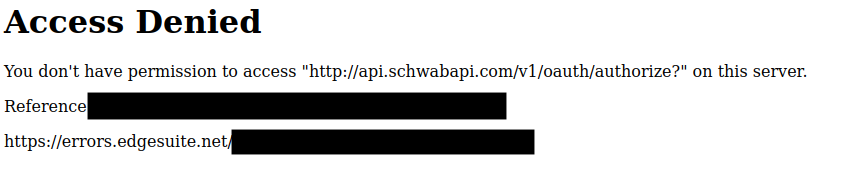
Approval appears to be a manual process, and most users have reported
transitioning to the Ready for Use status within a few days. Please note
this behavior is implemented on Schwab’s side, so the library authors have no
ability to influence this or speed up your approval time.
Browser Warnings About Invalid/Self-Signed Certificates
Browser Warnings About Invalid/Self-Signed Certificates
When creating a token using client_from_login_flow, you will likely encounter a warning from
your browser about refusing to connect to a site using an invalid or self-signed
certificate. Under the hood,
client_from_login_flow starts a
server on your machine to listen for the OAuth callback. Since Schwab requires
https: callback URLs, this server must declare an SSL context. However,
certificate authorities do not sign certificates for localhost or
127.0.0.1, and so the server must self-sign the certificate. As this would
be a security issue in any other context, your browser shows you a stern
security warning.
It is safe to ignore this warning and proceed anyway. However, you should
always verify that the address of the page displaying the warning matches your
callback URL. client_from_login_flow will print message reminding you of your
callback URL each time you run it.
OAuthError: invalid_client: refresh token invalid
Tokens can only be refreshed for approximately seven days, at which point Schwab refuses to refresh your token and you need to recreate it. This error is thrown by the library in response to Schwab’s refusal. See here to learn about how tokens work..
Token Parsing Failures
schwab-py handles creating and refreshing tokens. Simply put, the user
should never create or modify the token file. If you are experiencing parse
errors when accessing the token file or getting exceptions when accessing it,
it’s probably because you created it yourself or modified it. If you’re
experiencing token parsing issues, remember that:
You should never create the token file yourself. If you don’t already have a token, you should pass a nonexistent file path to
client_from_login_flow()oreasy_client(). If the file already exists, these methods assume it’s a valid token file. If the file does not exist, they will go through the login flow to create one.You should never modify the token file. The token file is automatically managed by
schwab-py, and modifying it will almost certainly break it.You should never share the token file. If the token file is shared between applications, one of them will beat the other to refreshing, locking the slower one out of using
schwab-py.
If you didn’t do any of this and are still seeing issues using a token file that
you’re confident is valid, please file a ticket. Just remember, never share
your token file, not even with schwab-py developers. Sharing the token
file is as dangerous as sharing your Schwab username and password.
What If I Can’t Use a Browser?
Launching a browser can be inconvenient in some situations, most notably in
containerized applications running on a cloud provider, or when running in a
notebook. schwab-py supports two alternatives to creating tokens by opening
a web browser.
Firstly, the manual login flow flow allows you to go
through the login flow on a different machine than the one on which
schwab-py is running. Instead of starting the web browser and automatically
opening the relevant URLs, this flow allows you to manually copy-paste around
the URLs. It’s a little more cumbersome, but it has no dependency on selenium.
Alterately, you can take advantage of the fact that token files are portable. Once you create a token on one machine, such as one where you can open a web browser, you can easily copy that token file to another machine, such as your application in the cloud. However, make sure you don’t use the same token on two machines. It is recommended to delete the token created on the browser-capable machine as soon as it is copied to its destination.